Excel MCP Server: Automate Real Excel with AI
Drive Microsoft Excel with natural language from GitHub Copilot, Claude and any MCP client — Power Query, DAX, VBA, PowerPivot, Tables and Python in Excel.
Requires Windows and desktop Microsoft Excel 2016 or later, running in an interactive desktop session.



Powered by the real Excel engine
Excel MCP Server automates the actual Excel application through its official COM API — the same engine Excel itself uses. That unlocks what spreadsheets are really for:
- Runs live Excel operations. Refresh Power Query to pull and reshape fresh data, recalculate with Excel's own engine, refresh PivotTables and the Data Model, evaluate DAX, and run VBA or Python
=PY()— the real, computed results land right in your workbook. - Excel opens and saves your workbook. Excel opens and saves your workbook itself, rather than a file-parser library rewriting it. Requested edits can still change the workbook's data, formatting, or features.
Other tools (openpyxl-based MCP servers and Agent Skills, including Anthropic's xlsx skill) read and rewrite the .xlsx file directly — which can quietly drop PivotTables, charts, and macros, and can't run Power Query, the Data Model, or DAX at all. Here, Excel does the work. Watch it live: just say "Show me Excel while you work."
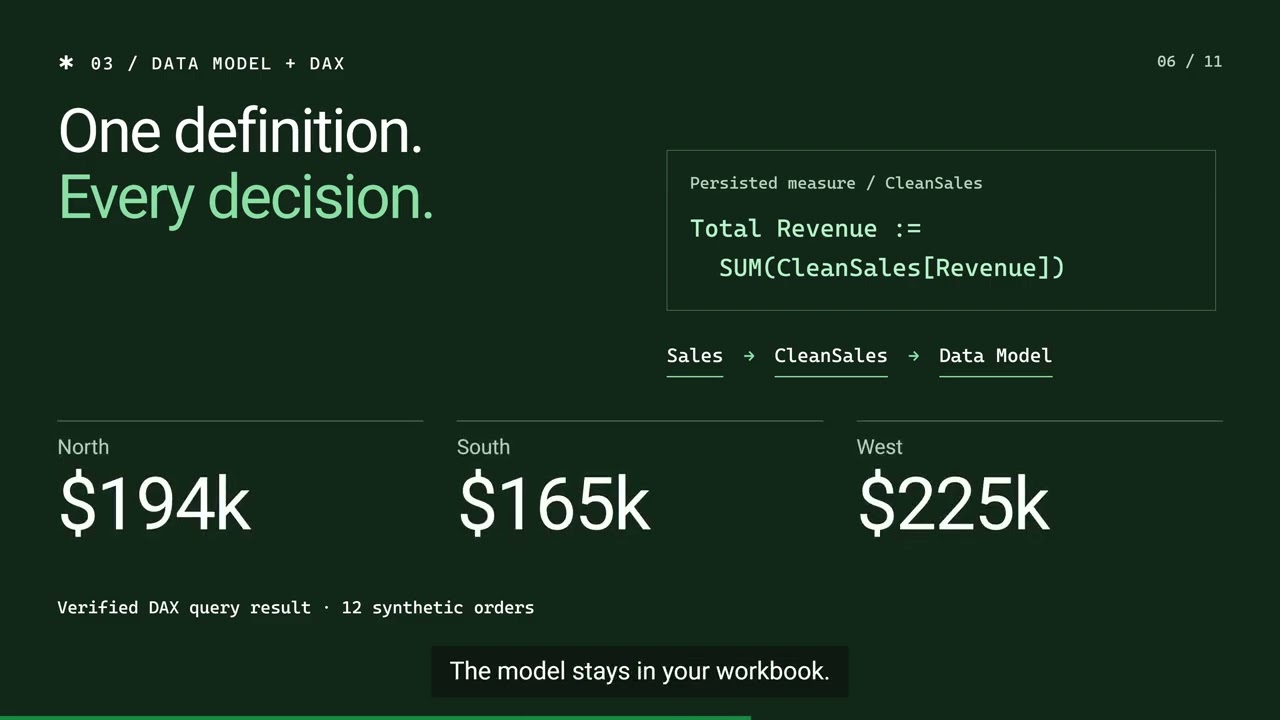
See what AI can build
Each video shows real work by an AI agent in desktop Excel. Open one to watch it and download the files the agent made.
-
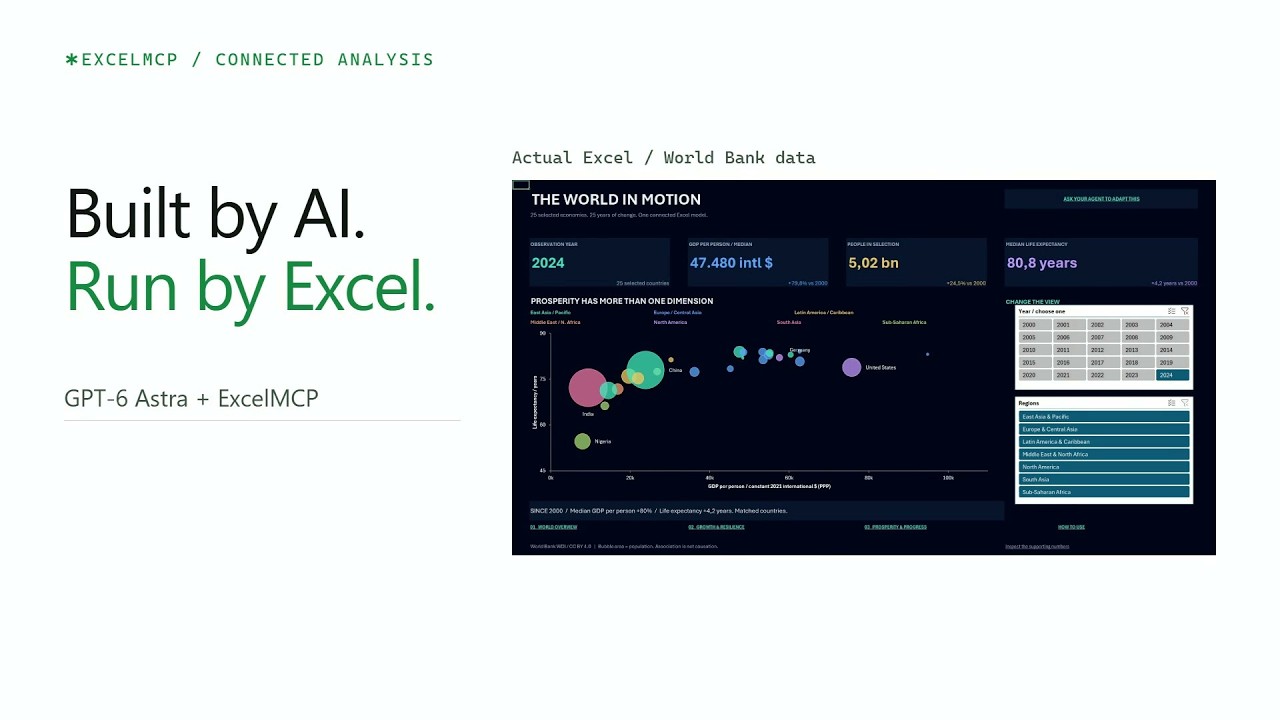
AI-built Excel dashboards · 2:33
GPT-6 Astra builds interactive World Bank dashboards with connected data through Excel MCP Server.
-
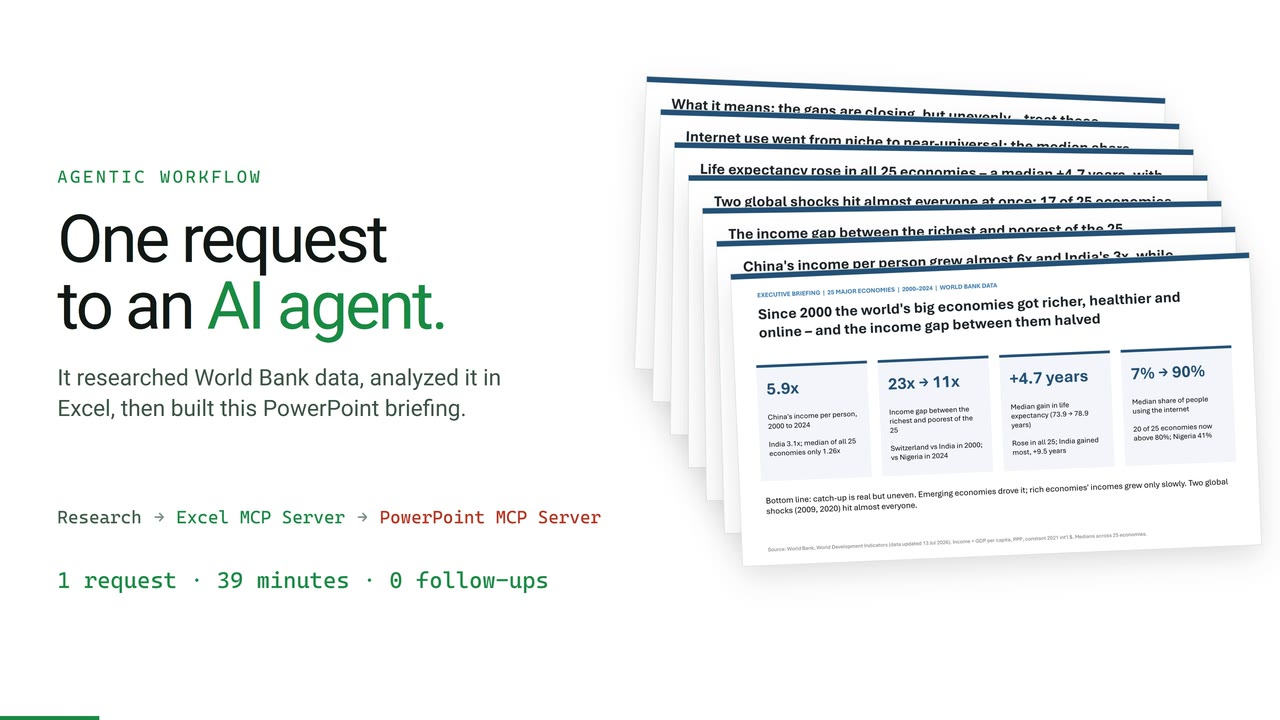
Agentic workflow: from one request to Excel and PowerPoint · 2:41
One agent researches World Bank data, builds a checked Excel analysis, then a 7-slide executive briefing with PowerPoint MCP Server.
Also building PowerPoint decks?
Check out PowerPoint MCP Server — the sister project, built the same way.
Also automating Windows apps and browsers?
Check out Windows MCP Server — automate Windows apps and browsers from your AI assistant.
Key features
-
Power Query & M code
Create, edit and optimize M code. Import from files, databases and APIs. Refresh queries and manage load destinations.
-
Power Pivot & DAX
Build Data Models, create DAX measures and manage table relationships through Excel's supported automation.
-
PivotTables & charts
Create PivotTables from ranges, tables or the Data Model. Build charts and PivotCharts with supported formatting controls.
-
Tables & ranges
Read/write data, formulas and formatting. Filter, sort and validate. Manage Excel Tables with structured references.
-
VBA macros
View, import, update and execute VBA code. Export modules for version control.
-
Worksheets & connections
Manage sheets, named ranges and data connections. Copy and move sheets between workbooks.
-
Agent mode
Watch AI work in Excel in real time — side-by-side view, live status-bar feedback and smart window arrangement, like a pair programmer in a spreadsheet.
-
Python in Excel
Write and run
=PY()formulas that execute in Excel's cloud Python engine — process worksheet data with pandas, NumPy and more, from your AI assistant. -
Agent workflow checks
Selected MCP and CLI workflows are checked with real agents and independent workbook inspection. Skill-value comparisons measure whether guidance helps; they do not guarantee every agent can use every operation.
Explore capabilities across 63 MCP tools and 425 operations
Popular guides
- Refresh Power Query from an AI assistant
- Build and update PivotTables with an AI assistant
- Query the Excel Data Model with DAX
- Run VBA macros from an AI agent
- Real Excel automation vs. file-parser libraries
See it in action
Ask your AI assistant in plain language — it drives Excel for you:
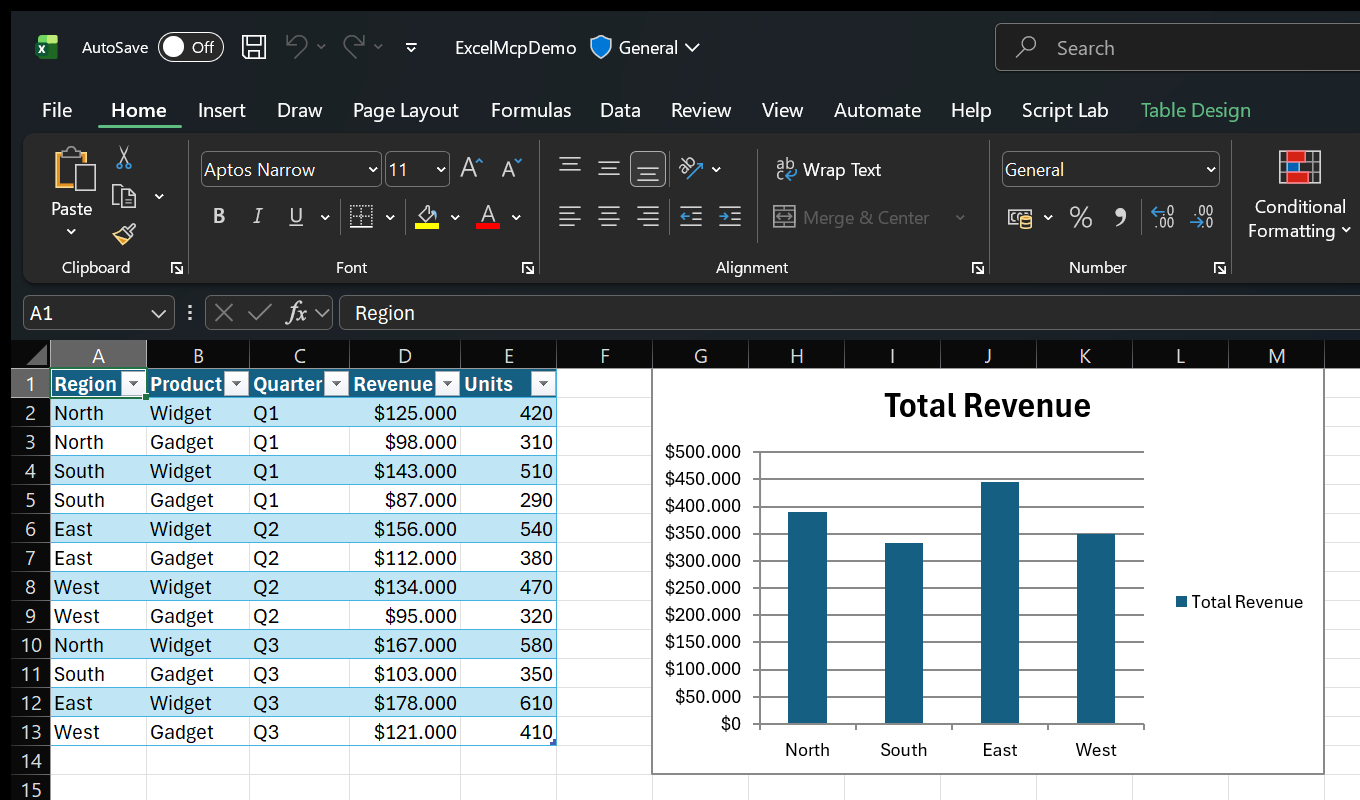
.xlsx file.📝 Create & populate data
You: "Create a new Excel file with a table for tracking sales — include Date, Product, Quantity, Unit Price and Total with sample data and formulas."
The AI creates the workbook, adds headers, enters sample data and builds formulas automatically.
📊 PivotTables & charts
You: "Create a PivotTable showing total sales by Product, then add a bar chart to visualize the results."
The AI creates the PivotTable with proper field configuration and adds a linked chart.
🔄 Power Query & Data Model
You: "Use Power Query to import products.csv, load it to the Data Model, and create measures for Total Revenue and Average Rating."
The AI imports the data, adds it to Power Pivot and creates DAX measures ready for analysis.
🎨 Formatting & tables
You: "Format the Price column as currency, highlight values over $500 in green, and convert this to an Excel Table."
The AI applies number formats, conditional styling, auto-fit and structured table styling.
And because Excel MCP Server works with the real Excel application, modern features like Python in Excel work too — your AI assistant can write =PY() formulas that run pandas and NumPy directly on your worksheet data:
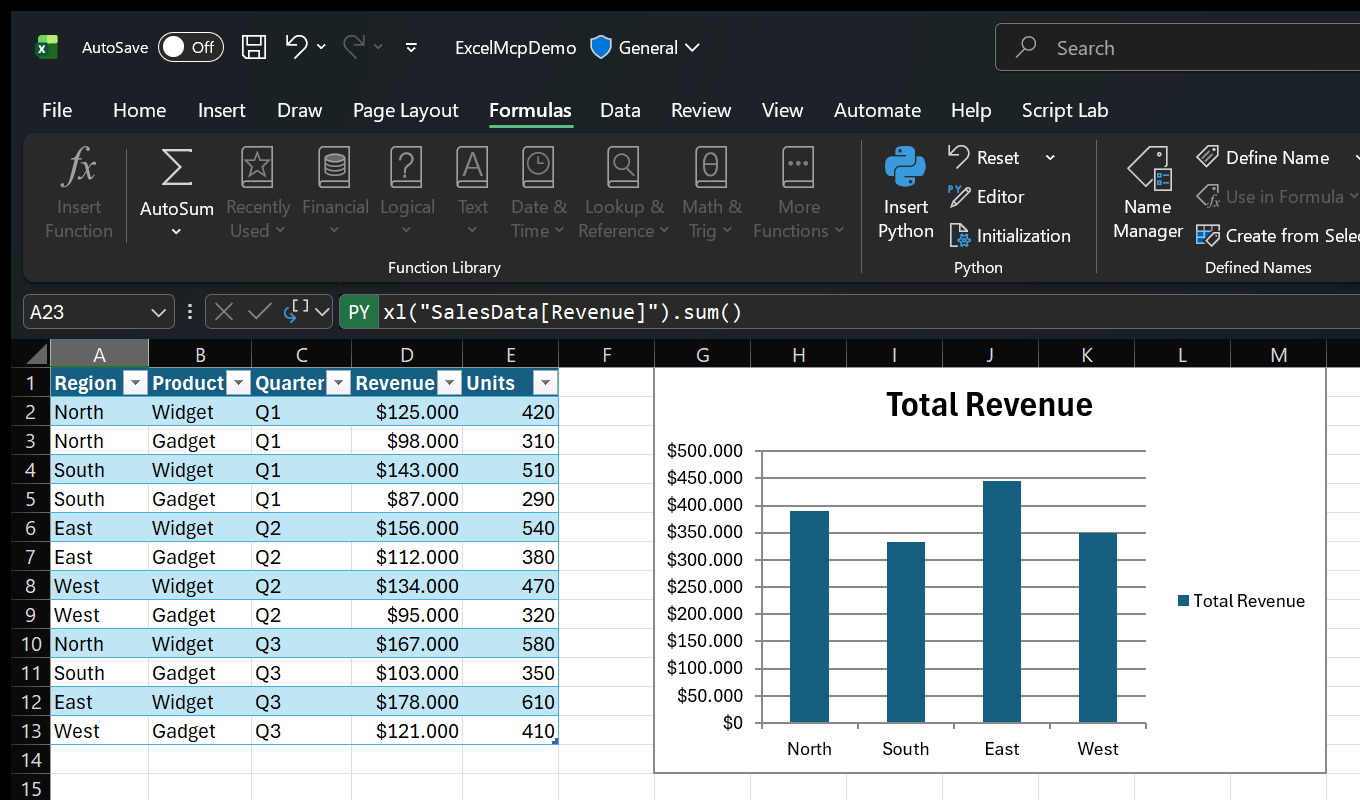
=PY() formula (note the green PY badge) and Excel's Python ribbon group — summing the SalesData table with pandas, driven from your AI assistant.Local Excel and your data
Excel runs on your Windows desktop. Requested workbook results are returned to your AI assistant, whose privacy policy applies. Release builds can send pseudonymous usage statistics using a stored random ID shared by the CLI and MCP Server. A one-time migration event can link it to the previous name-derived hash. Those statistics exclude workbook contents, file names, and paths. Optional remote M/DAX formatting and Python in Excel use external services only when you request those features. Read the privacy policy.
CLI or MCP Server?
This package ships both a CLI and an MCP Server. They share the same core, so every operation behaves identically — pick the entry point that fits your workflow:
| Interface | Best for | Why |
|---|---|---|
CLI (excelcli) | Agents that can run terminal commands | Built-in help without loading MCP tool definitions, usually with fewer AI tokens. |
| MCP Server | Any MCP-compatible client | Tool discovery and a persistent connection. |
Coding agents can use either one; the choice is technical.
GitHub star history
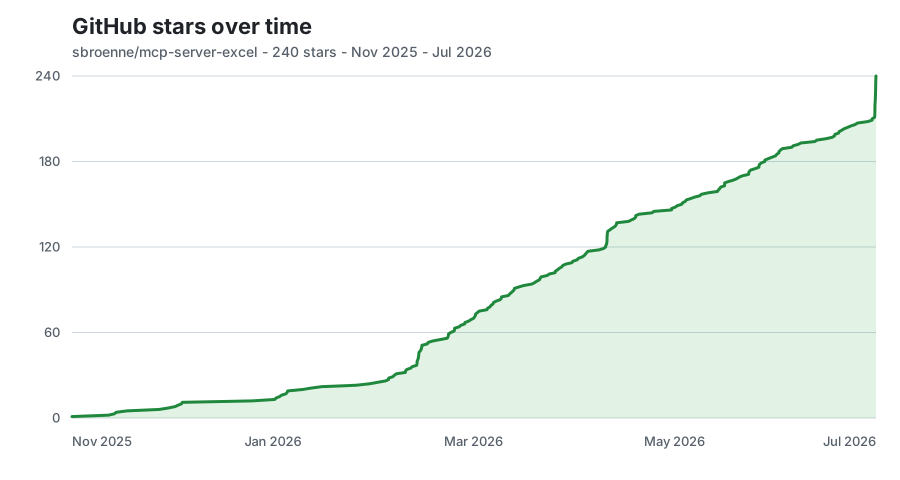
Updated daily on the deployed site from exact aggregate snapshots; no stargazer identities are stored.